Import / Export
Import your existing AI memory from Claude Code, ChatGPT, Obsidian, Knowledge Graph, or Markdown files. Export anytime for backup or migration.
Import from AI Tools
Already using another AI tool? Bring your memory to ContextForge in one click. We support importing from Claude Code, ChatGPT, and the official MCP Knowledge Graph server.
Claude Code
Import MEMORY.md files from Claude Code. Each ## section becomes a knowledge item.
ChatGPT
Import from ChatGPT data exports. Extracts assistant responses from conversations.json.
Knowledge Graph
Import from the official MCP Knowledge Graph Memory Server. Entities become knowledge items.
Obsidian
Import from Obsidian vaults. Extracts YAML frontmatter (title, tags) and [[wikilinks]] as relationships.
How to Import
You can import directly from the dashboard or via MCP tools. Here's how to do it from the dashboard:
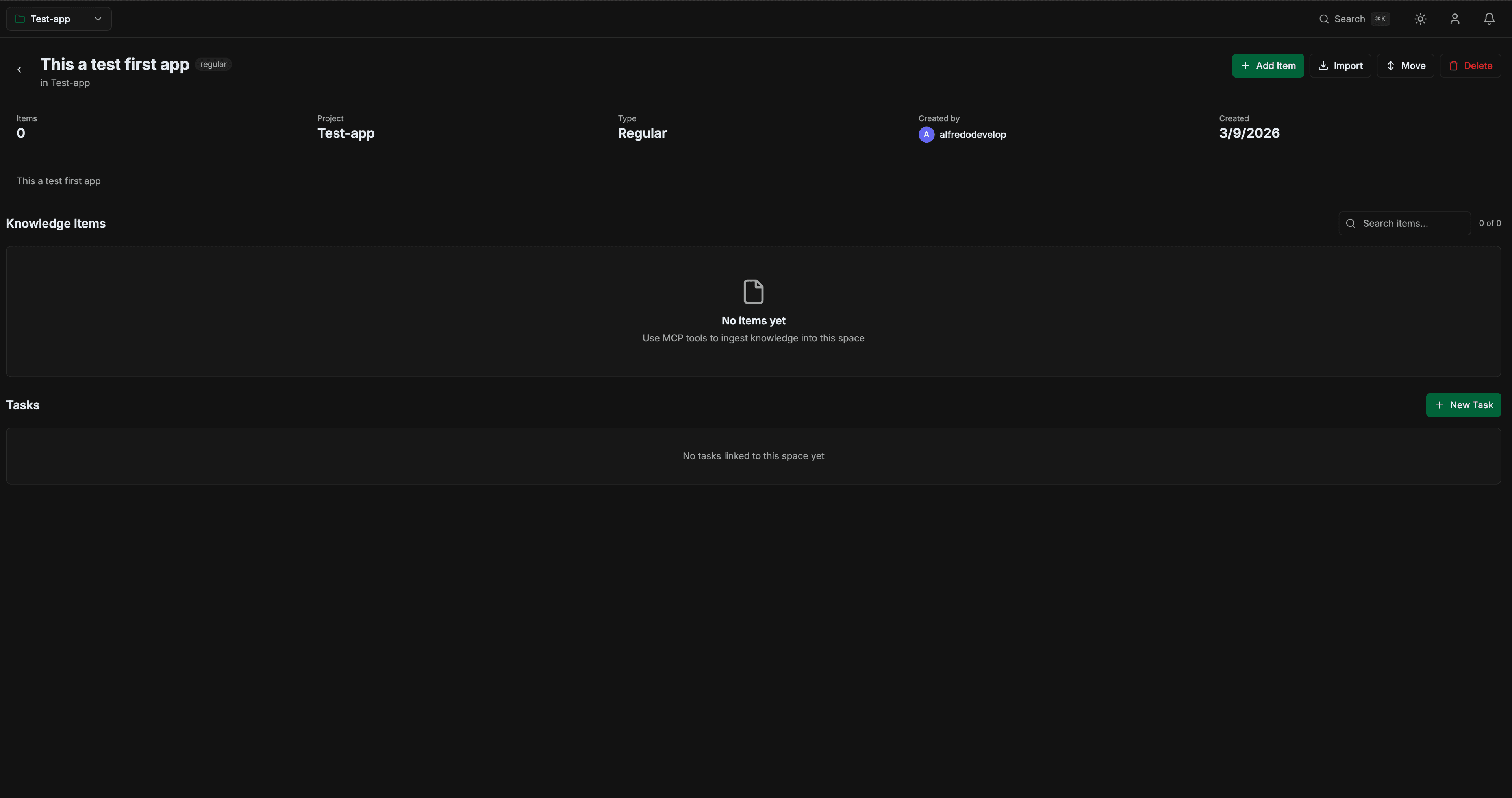
Open a Space and click Import
Navigate to any space in your dashboard. You'll see the Importbutton next to "Add Item" in the header.
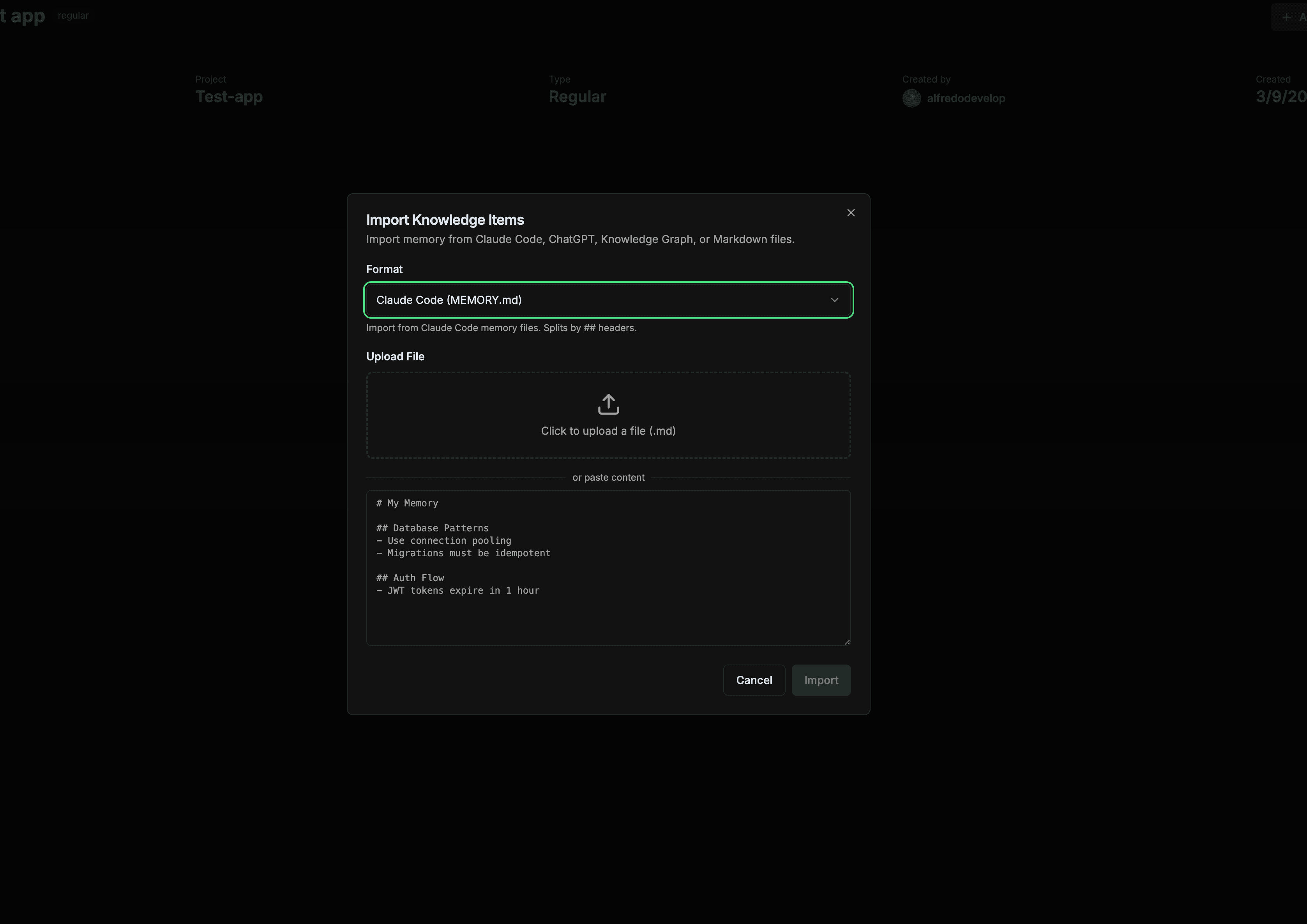
Select format and upload your file
Choose the format (Claude Code, ChatGPT, Knowledge Graph, Markdown, or ContextForge JSON). Upload a file or paste the content directly. The format is auto-detected when you upload a file.
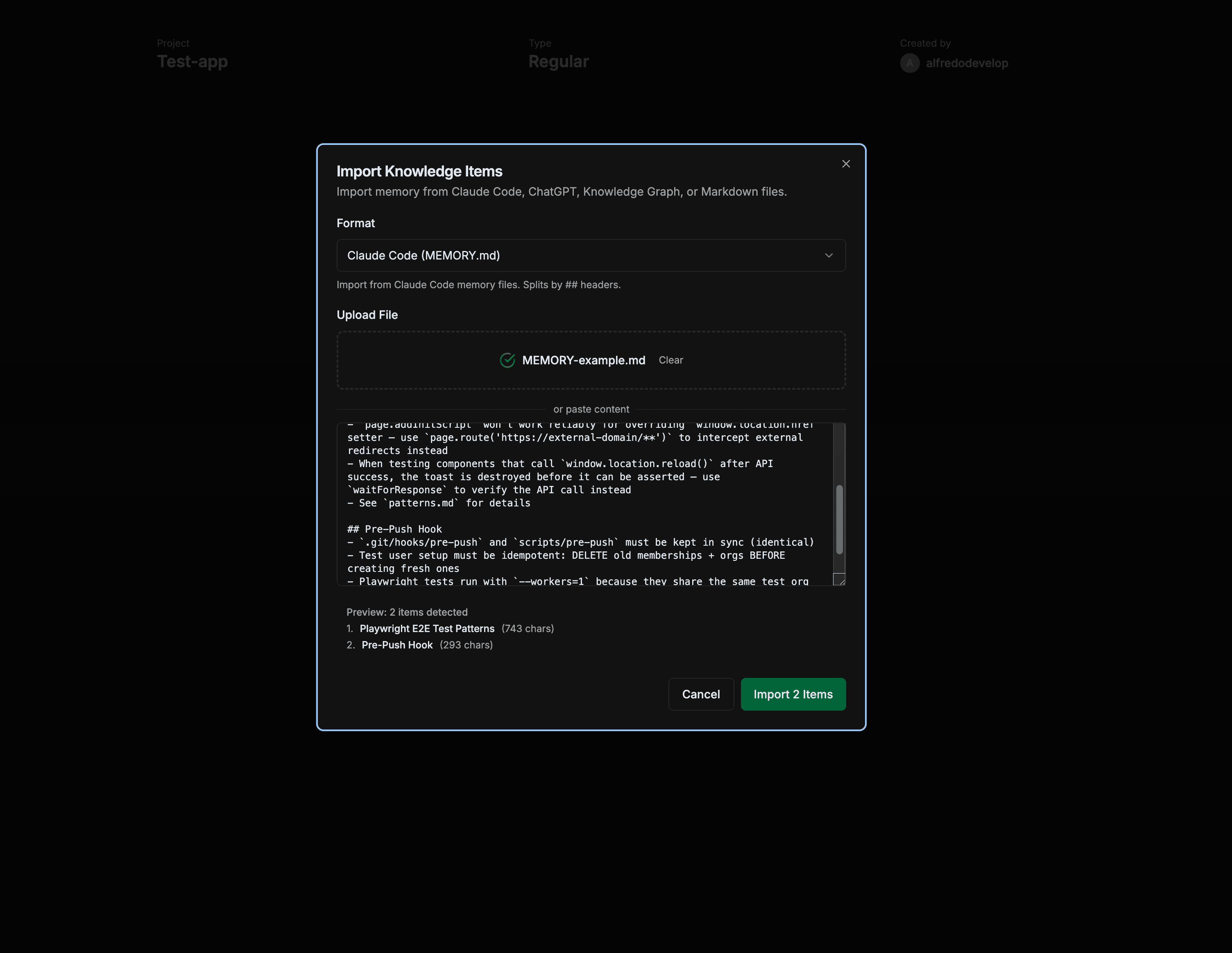
Preview and import
A live preview shows how many items were detected and their titles. Click "Import N Items" to import them. Duplicates are automatically skipped.
Format Examples
Claude Code (MEMORY.md)
Found at ~/.claude/projects/*/memory/MEMORY.md
# My Project Memory

## Database Patterns
- Always use connection pooling
- Migrations must be idempotent
- Use RLS for row-level security

## Auth Flow
- JWT tokens expire in 1 hour
- Refresh tokens last 30 days
Each ## section becomes a separate knowledge item with its title.
MCP Knowledge Graph (.jsonl)
Default file: memory.jsonl from the @modelcontextprotocol/server-memory package.
{"type":"entity","name":"ContextForge","entityType":"project","observations":["A SaaS for persistent AI memory","Built with Supabase"]}
{"type":"entity","name":"Supabase","entityType":"technology","observations":["PostgreSQL database","Provides auth and storage"]}
{"type":"relation","from":"ContextForge","to":"Supabase","relationType":"uses"}
Entities become knowledge items. Relations are preserved for future knowledge graph features.
ChatGPT Export (conversations.json)
Download from Settings > Data Controls > Export Data in ChatGPT.
[
  {
    "title": "Building a REST API",
    "mapping": {
      "msg1": {
        "message": {
          "author": { "role": "assistant" },
          "content": { "parts": ["Here's how to build..."] }
        }
      }
    }
  }
]
Only assistant responses are extracted. Conversations with no assistant messages are skipped.
Obsidian Vault (.md)
Import individual notes or use the MCP tool for bulk vault import with relationship creation.
---
title: Authentication Architecture
tags: [auth, security, architecture]
---

# Authentication Architecture

We use JWT tokens with refresh rotation.
See also [[Database Schema]] and [[API Gateway Config]].
YAML frontmatter is extracted (title, tags). [[wikilinks]] become relationships between items when imported via the MCP tool.
Bulk Vault Import (via MCP)
For importing your entire vault with wikilink relationships, use the MCP tool from Claude Code or Cursor:
"Import my Obsidian notes from this folder into the Architecture space"

// Or use memory_import directly:
memory_import({
  space_id: "your-space-id",
  format: "obsidian",
  data: [
    { content: "---\ntitle: Note 1\n---\nContent...", path: "folder/note1.md" },
    { content: "---\ntitle: Note 2\n---\nContent...", path: "folder/note2.md" }
  ]
})
The MCP import parses frontmatter, extracts [[wikilinks]], and creates relationships automatically between linked notes.
MCP Tool Reference
You can also import and export via MCP tools directly from Claude or Cursor.
memory_importImport items from multiple formats.
| Parameter | Type | Description |
|---|---|---|
| space_id | string | Target space UUID |
| format | string? | contextforge markdown obsidian notion claude_memory knowledge_graph_jsonl chatgpt |
| data | any | Raw content (string or JSON) |
| items | array? | Direct items array (alternative to data) |
memory_exportExport items to JSON, Markdown, or CSV format.
| Parameter | Type | Description |
|---|---|---|
| space_id | string | Space to export |
| format | string? | json markdown csv (default: json) |
Security
All imported content is validated and sanitized before storage.
File Validation
- Only
.md,.json,.jsonlaccepted - Maximum file size: 5MB
- Binary files (images, executables) are rejected
- Maximum 100 items per import
Content Sanitization
- Script tags and event handlers are stripped
- Dangerous HTML elements are removed
javascript:protocol links are blocked- Duplicate content is detected via SHA-256 hashing
Exporting Data
Export your memory for backup, migration, or use in other tools.
# In Claude:
"Export my memory as JSON"
"Export the backend-docs space as Markdown"

# MCP tool usage:
memory_export({
  "format": "json",
  "space_id": "your-space-id"
})