ContextForge Now Supports Cursor IDE: Persistent AI Memory Everywhere
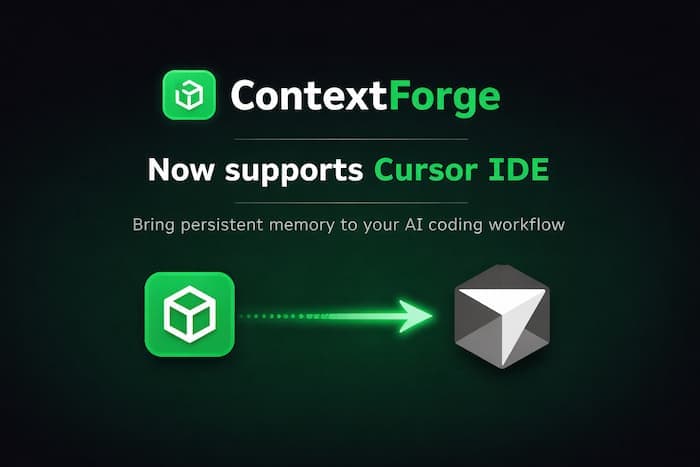
If you've ever wished your AI coding assistant could remember things between sessions — project decisions, API patterns, debugging insights — ContextForge already solved that for Claude Desktop and Claude Code users. Today, we're excited to announce that ContextForge now officially supports Cursor IDE.
The Problem: AI Amnesia
Every time you start a new chat in your IDE, your AI assistant starts from zero. It doesn't remember:
- That architectural decision you explained yesterday
- The API endpoint documentation you walked through last week
- The bug pattern you already solved twice
You end up repeating yourself. Over and over.
The Solution: ContextForge MCP
ContextForge https://context.dev is a persistent memory layer for AI coding assistants. It works through the Model Context Protocol (MCP) — an open standard that lets AI tools connect to external services.
With ContextForge, your AI assistant can:
- Remember knowledge across sessions — save and recall documentation, decisions, patterns
- Track tasks — create, assign, and resolve issues without leaving your editor
- Organize by projects — keep different codebases' context separate and clean
- Search semantically — ask questions in natural language and get relevant stored knowledge
- Collaborate — share project memory with your team
Setting It Up in Cursor (3 Minutes)
1. Install ContextForge MCP
1npm install -g contextforge-mcp
1npm install -g contextforge-mcp
2. Get Your API Key
Sign up at context.dev (free tier available) and grab your API key from the dashboard.
3. Configure Cursor
Create or edit ~/.cursor/mcp.json:
1{2 "mcpServers": {3 "contextforge": {4 "command": "contextforge-mcp",5 "env": {6 "CONTEXTFORGE_API_KEY": "your-api-key-here"7 }8 }9 }10}
On Windows, the file is at %USERPROFILE%\.cursor\mcp.json.
That's it. ContextForge tools are now available in Cursor's AI chat.
What You Can Do
Once configured, just talk to your AI assistant naturally:
Save Knowledge
Remember that our auth flow uses JWT tokens with a 15-minute expiry and refresh tokens stored in httpOnly cookies.
Recall Knowledge
What do we know about the authentication flow?
Track Tasks
Create a task: Refactor the payment module to support Stripe webhooks
Project Linking
Link this directory to the backend-api project
Your AI assistant now has context that persists across sessions, across days, across weeks.
Works Everywhere
ContextForge isn't just for Cursor. The same MCP server works with:
- Claude Code (CLI)
- Claude Desktop (macOS, Windows, Linux)
- Cursor IDE
- Any MCP-compatible client
Your memory is synced across all of them. Save something from Claude Code, recall it in Cursor. Create a task in Claude Desktop, resolve it from your terminal.
Free to Start
ContextForge has a free tier that includes:
- 1 project
- 50 knowledge items
- Semantic search
- Task tracking
Upgrade when you need more projects, more storage, or team collaboration.
Get Started
1. Sign up at context.dev
2. Install with: npm install -g contextforge-mcp
3. Follow the full guide at context.dev/docs/install-cursor
Stop repeating yourself to your AI assistant. Give it memory.
Share this article